Your First Steps to Becoming a Webcam Model A Beginners Action Plan
New to camming? This beginner’s action plan walks you through your first steps—gear, safety, pricing, and your first show—so you start with confidence.
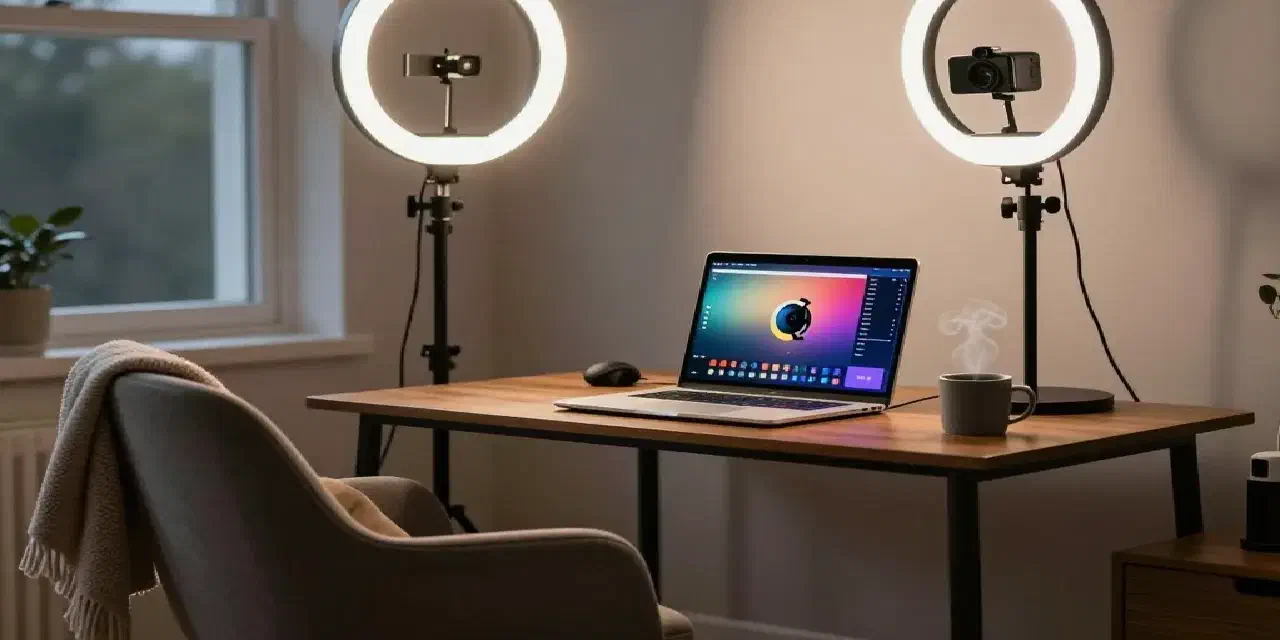
So you’re ready to learn how to become a webcam model for beginners, and you want a clear, no-fluff roadmap—not vague advice. This action plan cuts straight to the practical steps: from choosing your platform and setting up your space to nailing your first show and staying safe. You’ll get concrete checklists, do’s and don’ts, and a “what to do next” at every stage, so you can move from idea to live cam without guesswork. By the end, you’ll have a repeatable system to start earning and building your brand with confidence. Let’s get you on camera, prepared and in control.
What Do You Need to Start as a Webcam Model
Starting as a webcam model is more about preparation than luck. You need a clear checklist of legal, physical, and technical requirements before you ever hit “go live.” This section walks you through the non-negotiables, the budget-friendly setup, and the gear that actually matters—so you can start with confidence instead of guesswork.
Meeting the Legal Age and ID Requirements
The absolute first step is verifying that you are legally allowed to work as a webcam model. In most countries, including the United States, Canada, and the UK, you must be at least 18 years old. Some platforms require you to be 19 or 21 in specific regions, so check the terms of each site you plan to join. You will need to provide a government-issued photo ID—passport, driver’s license, or national ID card—and often a second form of proof, like a utility bill or bank statement matching your name and address.
The verification process is not optional. Every major cam site uses age and identity checks to comply with anti-trafficking laws and platform policies. Expect to upload clear, well-lit photos of your ID and a selfie holding it next to your face. Some sites also require a short video interview or a live verification call. Do not attempt to use someone else’s ID or alter your birth date—this leads to permanent bans and potential legal trouble. Keep your documents handy, because you’ll need to re-verify if you switch platforms or change your legal name. If you are under 18, this career path is off-limits, so wait until you are of age before investing in equipment or applying to sites.
Setting Up Your Broadcasting Space on a Budget
You do not need a professional studio to start. A spare corner of your bedroom, a closet with enough room to sit, or even a clean section of your living room can work. The key is control over lighting and privacy. Choose a space with a door you can lock, and place a towel under the door to block sound. Hang a solid-colored sheet or a piece of fabric as a backdrop—wrinkled bedsheets look messy, so iron or steam them first. If you have a plain wall, use that instead of a busy wallpaper or cluttered shelf.
Your budget setup should prioritize three things: light, angle, and background. Place a desk lamp or ring light in front of you, not behind you, to avoid a silhouette effect. Position your camera at eye level or slightly above—stack books under your laptop if needed. Keep the area behind you free of personal items like mail, photos, or medication bottles. Here is a quick checklist for a low-cost space:
- A lockable door and a “do not disturb” sign for your household
- A plain backdrop (sheet, wall, or folding screen) costing under €20 to €40
- One clip-on ring light or two desk lamps with daylight bulbs (€15 to €50 total)
- A comfortable chair or stool with a cushion for long sessions
- A small table or tray for water, notes, and your toy or props within arm’s reach
Do not overspend on decoration at first. Viewers care more about a clear, stable image than fancy furniture. As you earn, you can upgrade to a dedicated room with soundproofing and custom lighting.
Choosing the Right Equipment for Clear Video and Audio
Your smartphone can work for your first few shows, but a dedicated webcam or camera gives you consistent quality. The minimum viable setup is a 1080p webcam with a built-in microphone, but built-in mics often pick up background noise and echo. Start with a USB webcam like a Logitech C920 or similar—expect to pay from €50 to €120 for a reliable model. If you want better image sharpness, a mirrorless camera with a capture card costs more (from €300 to €600 for both), but it is not necessary on day one.
Audio is just as important as video. Viewers will leave if they cannot hear you clearly. A lavalier microphone that clips to your clothing costs from €15 to €40 and plugs into your phone or laptop. Alternatively, a USB condenser mic sits on your desk and captures richer sound, ranging from €40 to €100. Test your audio by recording a 30-second clip and playing it back—listen for hiss, echo, or muffled words. Lighting equipment matters too: a basic ring light with a tripod costs from €20 to €60, while two softbox lights run from €70 to €150. Do not forget a stable internet connection—use a wired Ethernet cable if possible, or at least sit close to your router. A speed test showing at least 10 Mbps upload is a practical minimum for HD streaming. Buy a spare HDMI or USB cable and a power strip with surge protection to avoid mid-show interruptions. Keep your equipment simple at first, then add pieces as your earnings grow.
How to Pick a Webcam Platform That Fits Your Goals
Your choice of platform is the single biggest decision you’ll make when learning how to become a webcam model for beginners. The right site determines your earning potential, the audience you attract, and how much control you keep over your content. Don’t rush this step. Spend a day comparing the top three or four options before you create a single account. A platform that feels comfortable and transparent will make your first weeks far less stressful.
Comparing Payout Rates and Token Systems
Most cam sites don’t pay a flat hourly wage. Instead, they use a token or credit system where viewers purchase tokens and tip you or pay for private shows. Your cut of each token varies wildly between platforms, and that difference adds up fast. Look for the site’s published payout percentage—usually found in their model FAQ or terms. A higher percentage isn’t always better if the site has low traffic, so weigh the payout against the size of the audience.
Also check how often you get paid and what the minimum threshold is. Some sites pay weekly, others bi-weekly, and a few offer daily payouts once you’ve hit a modest balance. Ask about chargebacks too: if a viewer disputes a token purchase, the platform may deduct that money from your earnings. A clear, low chargeback policy protects your income. Before signing up, calculate what you’d need to earn per hour to hit your monthly goal. Then test a few platforms as a viewer to see how active the chat rooms really are.
| Platform Type | Typical Payout Range | Payout Frequency | Best For |
|---|---|---|---|
| Large mainstream site | 30% to 55% per token | Weekly to bi-weekly | Steady traffic and discoverability |
| Niche or fetish site | 40% to 65% per token | Weekly to daily | Targeted audiences and higher tips |
| Fan subscription site | 70% to 85% per subscription | Weekly to monthly | Recurring income and content sales |
| Private chat-only site | 50% to 75% per minute | Weekly | One-on-one shows and consistency |
Checking Platform Reputation and Safety Features
Your safety matters more than your payout rate. A platform with a solid reputation protects your identity, handles DMCA takedowns, and has clear rules about what happens if someone records your stream. Start by reading model reviews on independent forums and subreddits—not just the site’s own marketing. Models often share real experiences about payout delays, support response times, and how the site handles harassment.
Look for built-in safety tools. Geoblocking lets you block your home state or country. Face blurring options and the ability to ban users by IP address are also key. Check whether the platform requires ID verification and how they store that data. A reputable site will have a secure, private verification process and will never share your personal information. Also examine their age verification for viewers—strong platforms confirm users are adults before they can enter rooms. If a site feels sketchy or has vague safety policies, walk away. There are plenty of established options that take model protection seriously.
Understanding Terms of Service Before You Sign Up
Read the entire terms of service, even the boring parts. This document controls what you can and cannot do on the platform, and violations can get your account banned or your earnings withheld. Pay special attention to exclusivity clauses. Some sites require you to broadcast only on their platform, which limits your ability to grow on multiple income streams. Others allow cross-promotion but restrict how you advertise your other accounts.
Also check the ownership language around your content. Some platforms claim a perpetual license to use your recorded shows for promotion, while others let you retain full rights. Clarify the rules on recording your own shows for sale later—some sites prohibit that entirely. Finally, note the minimum age requirement (usually 18 or 21 depending on your location) and the tax document process. If you see a clause about automatic renewals, forced arbitration, or unclear penalty fees, contact support before signing. Getting everything clear upfront saves you from surprises later. Once you’ve picked a platform that feels right, create your account, set up your space with good lighting, and plan your first three streaming hours. That’s your next concrete step toward a real income.
Creating a Stage Persona That Protects Your Privacy
Your first move as a beginner isn’t buying a camera or setting up a tip menu—it’s building a wall between your real identity and the person viewers see on screen. A stage persona is your professional mask, and it’s the single most important safety measure you can take before your first broadcast. Think of it as a character you step into, one that has a name, a vibe, and a backstory with zero connection to your actual life. This separation lets you perform with confidence, handle difficult chat messages without personal hurt, and walk away from your shifts without carrying the work home.
Choosing a Stage Name and Backstory
Pick a name that is easy to pronounce, memorable, and completely unrelated to your real name or any nickname friends use for you. Avoid your middle name, a childhood pet’s name, or any variation of your birthday—these are easy for determined viewers to trace. A good trick is to combine two random words that fit your on-camera vibe, like “Velvet” and “Ridge,” or use a name from a fictional character you admire, altered slightly. Once you have a name, build a simple backstory you can repeat without hesitation: where your “character” grew up, a hobby they love, and a fun fact. You don’t need a full biography—just two or three details that feel natural in small talk. The rule is this: if you wouldn’t say it to a stranger in a grocery store, it doesn’t belong in your backstory. Keep your real city, workplace, family details, and relationship specifics out entirely.
Geo-Blocking Your Home Region and Hiding Personal Details
Before you go live, log into your chosen platform’s privacy settings and turn on geo-blocking for your home country, state, or even your entire region. Most major cam sites let you block specific countries and states, and you should block your own without exception. This prevents anyone in your immediate area from stumbling onto your stream, cutting down the risk of being recognized in public. Next, remove all identifying details from your camera frame: wall art with your name, diplomas, mail, prescription bottles, and any electronics with visible usernames. Use a neutral backdrop like a plain sheet or a foldable screen, and never show a window that reveals a recognizable skyline. Turn off your device’s location settings, and use a VPN from the very first day—even for testing your camera—because your IP address can reveal your general location. Finally, create a dedicated email address for camming with no link to your personal accounts, and use a payment method separate from your everyday banking.
Managing Social Media and Off-Platform Communication
Your stage persona needs a social media presence, but it must be a clean, separate universe from your personal accounts. Create new profiles under your stage name on Twitter (or X), Instagram, and Telegram, and never cross-post or tag your personal pages. Use a profile photo that’s clearly a cam persona shot—not a selfie from your real life—and enable privacy settings that prevent your content from being shared without permission. Here’s a quick checklist for off-platform safety:
- Never share your personal phone number, personal email, or real social media handles in any chat or tip message.
- Refuse all requests to move to Skype, WhatsApp, or FaceTime; stay on the platform’s built-in messaging until you trust someone enough to use a secure, paid service.
- If a viewer asks for your location “just to send a gift,” politely redirect to a wishlist service that uses a P.O. box or an Amazon locker.
- Block and report anyone who pressures you for personal information; do not engage in a negotiation.
The moment you feel pressure to reveal a personal detail, your answer is always “no”—and that is a complete sentence.
Keep your off-platform communication strictly within your stage persona’s voice, and never let a viewer convince you that “just this once” is okay. Your privacy isn’t a barrier to success; it’s the foundation of a long, sustainable career. Every time you log on, remind yourself that the person on screen is your creation, and the person behind the camera is the one who stays safe.
Your First Broadcast Step by Step
Before you ever hit that “Start Streaming” button, your success hinges on preparation. The gap between a nervous first show and a confident professional one is filled with paperwork, lighting adjustments, and a test run that saves you from public embarrassment. This phase transforms you from a curious beginner into a working webcam model. It takes a few focused hours—not weeks. Follow the steps below in order, and you’ll be live with a polished setup that keeps viewers engaged and coming back.
Completing Identity Verification and Tax Forms
Every legitimate platform requires proof that you are an adult of legal age. This is non-negotiable. You’ll need a government-issued ID (passport, driver’s license, or national ID card) and, on many sites, a clear photo of you holding that ID next to your face. Prepare a well-lit photo where all text is readable; blurry images cause delays. Some platforms also ask for a social media profile or a unique verification code written on paper. Check their specific requirements in advance to avoid a 48-hour hold.
Tax forms are the less glamorous but equally critical half of this step. For US-based platforms, you’ll complete a W-9 if you’re a US resident or a W-8BEN if you’re international. For EU-based sites, you may need to provide your VAT number or a simple proof of identity. Do not skip this, as platforms withhold up to 30% of your earnings without it. Create a dedicated folder on your computer for scanned documents and keep your tax ID handy. The entire verification process typically takes 24 to 72 hours, so start it the day you decide to join—delaying it delays your first paycheck.
Setting Up Your Profile and Cam Settings
Your profile is your storefront, and your camera is your window. Start with your bio: write a first-person description that highlights your personality, interests, and what viewers can expect from your shows. Avoid generic phrases like “I’m fun and friendly”—instead, say “I love gaming talk while I dance” or “Ask me about my book collection during private chats.” Include 5–10 high-quality photos (well-lit, varied outfits) with your face clearly visible. Blurry or heavy-filtered shots look unprofessional and lower trust.
Cam settings matter more than gear. Log into your platform’s dashboard and configure your video resolution to 720p or higher, your frame rate to a stable 30fps, and your bitrate to at least 2500 kbps for smooth playback. Place your camera at eye level or slightly above—a low angle is never flattering. Adjust white balance manually if your room has mixed lighting (warm lamps plus cool daylight creates a green cast). Use a lapel mic or a USB condenser microphone instead of your laptop’s built-in one. Viewers will forgive a grainy image but not muffled audio. Finally, set your tip menu (e.g., “gold for a dance,” “tips for a flash”) to realistic prices. Start lower to attract first-timers, then raise them as your regulars build.
Running a Test Show to Fix Technical Issues
Do not go live to the public on your first attempt. Instead, run a private test show for yourself or a trusted friend. Set your broadcast to “private” or “friends only” mode, then sit in your actual filming position and talk out loud for ten minutes. Watch the playback or have your friend listen for audio lag, echo, or volume spikes. Test your tip notifications and alerts to ensure they appear on screen without crashing your stream.
Here’s a quick checklist to run through during that test:
- Check your internet upload speed is at least 10 Mbps (use a wired Ethernet connection if possible).
- Verify your lighting doesn’t create harsh shadows on your face or body.
- Test your green screen or virtual background for any flickering edges.
- Confirm your stream delay is under 3 seconds; adjust your platform’s “low latency” setting.
- Toggle your camera on and off to ensure the connection holds.
Fix any issues you find—swap a cable, reposition a lamp, lower your background noise with a rug or curtains. After a successful ten-minute run, you’re ready for a real show. Start with a 30-minute session, keep your energy high, and remember that your first few broadcasts are about learning your rhythm, not hitting a revenue goal.
A test show that reveals three small problems is a blessing—it costs you nothing but prevents three public failures.
How to Earn Money and Set Your Boundaries
Your earning potential hinges on two things: how clearly you define your offer and how firmly you protect your limits. Beginners often copy others’ price lists or say yes to everything, scared of losing viewers. That leads to burnout and resentment. Instead, start simple: set baseline rates for your time, decide exactly what you will and won’t do on camera, and rehearse a polite “no” before you log on. This section breaks down the practical choices that turn a chaotic first week into a sustainable routine.
Pricing Private Shows and Tips
Before you stream, write down three numbers: your private show rate per minute, your group show rate, and your minimum tip for a requested action. For one-on-one privates, a realistic starting range is €2 to €5 per minute, depending on your experience, camera quality, and audience size. Group shows run lower—€1 to €3 per minute—because viewers split the cost. Tips are separate from shows. Set a floor, like “no action for tips under 50 tokens,” and stick to it.
| Question to Ask Yourself | Pricing Strategy | Common Mistake |
|---|---|---|
| How long is my average show? | Charge a 5-minute minimum | Offering 2-minute quickies at low rates |
| Do I offer extras? | List each extra with a token range | Bundling everything into one vague price |
| How do I handle lurkers? | Ignore free requests; only reply to tipped messages | Chatting at length for zero income |
| What is my cancellation policy? | Require half payment upfront | Letting viewers end early and pay nothing |
| When do I raise rates? | Increase every 3–6 months or when fully booked | Staying cheap because you fear losing fans |
Once rates are set, never negotiate downward mid-show. If a viewer pushes back, say, “That’s my rate for everyone, but here’s what I can offer at this price.” After each show, log what you earned, how long it lasted, and which requests came up. That data tells you what to raise or cut next month.
Deciding Your Nudity Level and Show Types
Your nudity level is a business decision, not a moral test. Some models stay clothed until a tip threshold; others start in lingerie and go topless in private. A common beginner path: keep public streams clothed or in lingerie, offer topless in private, and reserve full nudity for exclusive one-on-ones. Another option is no nudity at all—focus on teasing, conversation, and fantasy roleplay. This works if you build a niche around personality. Decide before your first stream, then write it on a sticky note next to your camera.
Match your show types to your comfort zone. The three easiest to learn: (1) the casual chat show, where you talk and laugh while doing everyday tasks; (2) the themed show, like “teacher” or “librarian,” which gives you a script; and (3) the tip-driven show, where a menu of actions unlocks with each tip. Avoid elaborate roleplay or BDSM until you have weeks of experience. Start with two show types, master them, then add one new format per month. Test new formats during quiet times so you can pause and adjust without pressure.
Handling Requests You Want to Decline
You will get requests that cross your line—sometimes within the first ten minutes of your first stream. The skill is not avoiding them but handling them without losing composure or income. First, pre-write a list of absolute “no” items: anything involving bodily fluids, real pain, animals, minors, or injury-causing objects. Keep it private, but use it as your line. Second, memorize three responses: “That’s not something I do, but thanks for asking,” “I don’t offer that, but I can do X instead,” and “Let’s move on—” followed by a new topic. Deliver these calmly and immediately; hesitation invites negotiation.
If a viewer persists, don’t argue or over-explain. State your boundary once, then give one warning: “I’ve already said no. If you ask again, I’ll end the show.” Follow through—ending early beats feeling violated for the next hour. Use platform tools like word filters or block lists to keep certain terms out of chat. Finally, debrief after tough interactions: note what triggered you and adjust your bio to preempt those requests. For example, if you dislike explicit humiliation, add: “I do not engage in humiliation play.” That filters out bad matches before they enter your room.
Staying Safe and Managing Your Income Long Term
Safety and financial stability separate a short-lived experiment from a sustainable career. Your first weeks will feel exciting, but without clear boundaries and a money-tracking system, you risk burnout and costly mistakes. Treat this as a business from day one. Protect your wellbeing and your bottom line.
Using Platform Tools to Block Unwanted Viewers
Every major cam site offers moderation tools. Learn them before your first show. You control your room, and your comfort dictates who stays. Find the “block” or “ban” button in your broadcaster dashboard—usually a small icon next to each viewer’s username. Click it, and that person is permanently removed unless you manually unban them.
Go beyond simple bans. Use the “private message filter” and “word blacklist” to hide abusive language automatically. Many platforms let you set a minimum account age or restrict new users, which blocks trolls who create fresh accounts to harass you. Use the “silence” function for 10 or 30 minutes on a viewer who is annoying but not ban-worthy. Your mental health outweighs any single tip. Review your block list weekly.
Screenshot serious threats or harassment before blocking someone. You may need that evidence if you report them to the platform or law enforcement. Most sites have a “report” button that sends a ticket to their safety team, and they take repeat offenders seriously. Banning freely does not make you “too sensitive.” You are curating your space for paying, respectful clients. A calm room with zero drama earns more in the long run.
Tracking Earnings and Expenses for Taxes
You are self-employed now. The tax man will come knocking, and preparation is your best defense. Open a separate bank account for your cam income from the first payout. Do not mix it with personal spending. Every week, log gross earnings into a spreadsheet with columns for date, platform, tips, private shows, and chargebacks. Chargebacks occur when a viewer disputes a payment—they happen more than you think. Track them separately because they reduce taxable income.
On expenses, keep every receipt for work-related items: lighting rigs, ring lights, lingerie, toys, high-speed internet, a new webcam, and even part of your rent if you use a dedicated studio room. Deduct the percentage of your home used exclusively for work. Measure your setup and document it with photos. Include marketing costs like paid social media ads, editing software subscriptions, and a VPN for privacy.
Set aside 25–30% of every payout into a separate savings account for quarterly estimated taxes. Most countries require four filings per year, and missing them brings penalties. If this feels overwhelming, hire a tax professional who works with digital creators. The fee is deductible, and they will save you thousands. Never ignore tax notices. Always file on time, even if you owe money you cannot pay immediately. Payment plans beat evasion charges.
Avoiding Burnout with a Sustainable Schedule
New models often treat their first month like a marathon, streaming eight hours a night until they crash. Your audience will be there tomorrow. Your mental health will not recover quickly from exhaustion. Start with a realistic block of three to four hours, three to four days per week. Stick to that schedule for at least a month. Consistency matters more than volume, because regular viewers learn when to find you and tip more reliably.
- Set a hard start and end time, and stick to it even if you are making great money.
- Take a 10-minute break every hour to stretch, hydrate, and step away from the screen.
- Plan one full day off per week with zero work-related activity, including social media.
- Use a countdown timer on your phone to signal the end of your show, and always end on a positive note.
Your schedule should include time for content creation, marketing, and admin tasks like answering messages. Do not cram those into streaming hours. If you feel dread before logging on, cut a shift. Do not push through. Many successful models work only 15–20 hours per week and earn a full-time income because they are rested and engaged on camera.
The moment you stop enjoying your shows is the moment your income drops—protect your energy like your bank account depends on it, because it does.
Finally, treat your schedule as non-negotiable with friends and family. Explain that you are working, and do not answer personal calls during live hours. Over time, you will learn your peak earning windows and adjust accordingly. Never sacrifice sleep or social connection for a few extra tokens. Your long-term career depends on consistent presence, and that is only possible if you are genuinely happy to be there.
Your Next Move
You don’t need perfection to start as a webcam model. You need a clear plan and a willingness to adapt. You’ve got the core checklist now: pick your platform, set up your space with solid lighting and audio, define your limits, and sketch out a basic content schedule. Here’s the key takeaway—consistency beats intensity. A 30-minute session three times a week will grow your audience faster than one marathon stream on Sundays. So, what’s your immediate move? Create your profile on one platform. Upload a few test photos. Run a private test stream with a friend to check your tech and comfort level. Then, block off your first three real sessions in your calendar. Treat them as learning experiments. After each one, log what worked and what didn’t. That’s your entire beginner action plan in motion—start small, stay safe, and let every session teach you the next step.
Frequently asked questions
What equipment do I actually need to start webcam modeling as a beginner?
How do I choose the right platform to stream on?
Do I need to show my face or do full nudity to make money?
How do I set my prices for private shows and tips?
What should I do in my first few live sessions to attract viewers?
How do I protect my privacy and identity as a new cam model?
What are the tax and legal obligations I need to handle?
How can I build a regular fan base and increase my earnings over time?
What are the biggest mistakes beginners make, and how do I avoid them?
How do I handle rude or demanding viewers without losing my composure?
Related guides
Your Step by Step Guide to Passing the Webcam Model Signup Process Without the Guesswork
Learn the webcam model signup process explained step by step. Avoid guesswork with checklists, do’s and don’ts, and clear next actions for fast approval.
Read more
The Complete Guide to Becoming a Webcam Model While Keeping Your Identity a Secret
Learn how to become a webcam model and stay anonymous with proven strategies, privacy tools, and step-by-step safety tips to protect your identity.
Read more
How to Start Webcam Modeling With No Experience and Make Money Your First Week
Learn how to start webcam modeling with no experience. Get actionable steps, gear tips, and proven tactics to earn money your first week.
Read more