The Complete Guide to Becoming a Webcam Model While Keeping Your Identity a Secret
Learn how to become a webcam model and stay anonymous with proven strategies, privacy tools, and step-by-step safety tips to protect your identity.
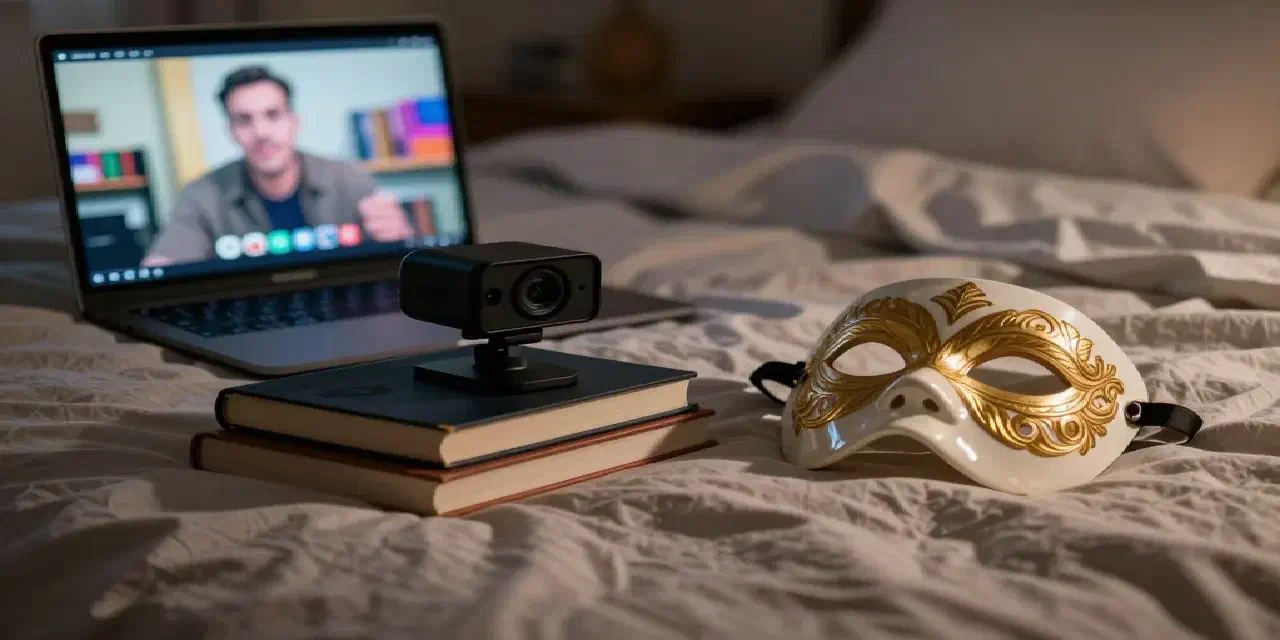
The idea of becoming a webcam model while keeping your identity a secret feels like a high-wire act, but with the right strategy, it’s entirely achievable. If you’ve searched for how to become a webcam model and stay anonymous, you already know the stakes: protecting your real name, face, and location from leaking into your professional life. This guide cuts through the noise to give you a practical, step-by-step system—from choosing alias-friendly platforms and setting up encrypted payment methods to masking your physical space and handling stalker risks. By the end, you’ll have a concrete checklist to launch your cam career without ever compromising your offline identity.
How to Become a Webcam Model and Stay Anonymous from the Start
Before you pick a camera or set up lighting, build a wall between your real life and your performer persona. That’s your first move. Every decision, from the moment you create your account, should assume someone is hunting for your real name, your address, or your workplace. Treat anonymity as a system, not a single privacy setting. Do that, and you can work confidently without looking over your shoulder. Here are the three pillars that keep your identity locked down from day one.
Set Up a Stage Name and a Separate Digital Identity
Your stage name is your first line of defense, so treat it like a legal alias. Pick something completely unrelated to your real name, nickname, or anything a friend might casually call you. Skip your birth year, your hometown, and your pet’s name—these are common passwords and social engineering clues. Once you choose a name, never use it for personal accounts, social media, or email. Build a dedicated performer identity from scratch:
- Use a new email address (e.g., via a private provider like ProtonMail) that only contains your stage name.
- Create a separate phone number using a virtual number app or a prepaid SIM registered to a fake name.
- Set up a VPN on all your devices before you ever log into a camming site, and keep it on during every stream.
- Open a separate bank account or use a payment platform that does not display your legal name to viewers (like a business account under your stage name where legally possible).
- Never link your performer email to your personal phone, cloud storage, or browser profile.
Your digital identity must be a clean slate. That means no old photos, no reverse-image-searchable selfies, and no social media accounts that share connections with your real network. Before you stream, Google your stage name and confirm nothing appears. Then, set up a Google Alert for that name so you’re notified if someone posts about you. If you slip and use your real name in a chat, log off immediately and address the mistake—don’t hope it goes unnoticed.
Choose a Camming Platform That Prioritizes Privacy
Not all camming sites are built the same when it comes to your safety. Some platforms require government-issued ID for age verification but then display your real name on payment receipts; others let you block entire countries or states where you have family or coworkers. Research each platform’s privacy policy before you sign up. Look for sites that allow you to use a pseudonym on all public-facing content, offer two-factor authentication, and let you geoblock specific regions. Also, check how they handle data breaches—do they disclose them quickly, and do they store your ID securely? Platforms like Streamate and Chaturbate are popular, but their privacy settings change, so read current user forums and model reviews for the latest experiences.
Your payment method is just as important as the platform itself. Many sites pay via direct deposit, which exposes your real bank account to the company—that’s usually unavoidable, but it stays within the platform. For payouts, use a separate account that you only use for camming, and never give out your PayPal or cash app handles to viewers, even for “tips outside the site.” Most platforms prohibit off-site payments anyway, and doing it can get you banned. If a platform offers crypto payouts, consider using a privacy-focused wallet like Monero to further separate your earnings from your identity. Finally, never use your real photo for the account verification selfie—that’s required, but it stays private with the platform, so just ensure the platform has a strict no-leak policy and strong encryption.
Create a Clean and Unidentifiable Streaming Space
Your room is a giant clue machine. Even if you never say your real name, a viewer can piece together your location from a bookshelf, a window, or a poster. Before you ever turn on your camera, do a full sweep of your streaming area. Remove any mail, bills, prescription bottles, or documents with your name. Cover or remove framed photos, diplomas, and certificates. Black out or blur any TV or computer screens behind you, and remove anything with a logo from a local business, school, or sports team. If you have a window, close the blinds or shoot at an angle where you cannot see outside—sunlight patterns and landmarks can reveal your city or even your neighborhood.
Lighting is your ally in anonymity. Use a ring light or softbox positioned behind your camera so your face is well-lit but your background fades into shadow. You can also use a plain backdrop—a solid-color sheet or a collapsible photo background—to eliminate any chance of someone recognizing your wall color or furniture. For extra safety, blur your background using the platform’s virtual background feature if available, but test it first, as some blurring tools glitch and reveal a frame of your room. Also, be mindful of sound: close your windows, mute your phone, and remove any smart devices (like Alexa or Google Home) that might pick up a voice command with your real name. After you finish streaming, double-check that your camera is off and your microphone is muted before you step away—a simple mistake can expose a conversation or a family member’s voice, which is often all a determined viewer needs to find you.
What Steps Do You Take to Protect Your Real Identity While Camming
Your anonymity is your most valuable asset in this industry. Let your real name, address, or workplace get linked to your camming persona, and that connection can haunt you for years. The steps below form the non-negotiable foundation for building a firewall between your private life and your on-camera identity. Follow them in order.
Use a VPN and a Dedicated IP That Cannot Be Traced to You
Before you ever log into a camming site, mask your internet connection. A reliable VPN encrypts your traffic and routes it through a server in a different location, so your ISP and anyone monitoring your network cannot see which sites you visit. Free VPNs are not acceptable here—they log your data and often sell it. Pay for a reputable, no-logs VPN service and turn it on before you open any browser, email, or streaming platform. Keep it running for the entire duration of your stream, not just during the broadcast.
A VPN alone is not enough, though. Many camming platforms and third-party trackers can still identify you through your IP address if your VPN connection drops, even for a second. This is where a dedicated IP comes in. A dedicated IP is a static address assigned only to you, but it is tied to your VPN server, not your home connection. This means you always appear to be in the same city, which looks more natural to site security systems, and your real residential IP never surfaces. Choose a VPN provider that offers dedicated IPs in a city far from your actual location. Do not use the same IP for camming that you use for banking, social media, or any account linked to your legal name. Test your IP leak status before each stream using an online IP checker. If your real city shows up, disconnect, restart your VPN, and re-check.
Secure Your Accounts with Unique Emails and Strong Passwords
Every account you create for camming—the platform profile, payout processor, social media for promotion, and email—must be isolated from your personal life. Create a brand-new email address for your camming persona, using a service that prioritizes privacy, and never use your real name, birth year, or hometown in that address. Use a pseudonym that matches your stage name, and make sure the recovery phone number is a prepaid SIM or a virtual number, not your personal mobile. Do not use the “sign in with Google” or “sign in with Facebook” options on any camming or promotion site, because that instantly links your real accounts to your work persona.
For passwords, you need a unique, complex password for every single account. A password manager is not optional—it is the only practical way to generate and store 20+ different random strings. Use the manager to create passwords that are at least 16 characters long, mixing upper case, lower case, numbers, and symbols. Enable two-factor authentication (2FA) on every account that offers it, but use an authenticator app or a hardware key, not SMS. SMS 2FA can be intercepted or tied to your phone number. Here is a quick checklist to audit your account setup:
| Account Type | What to Use | What to Avoid |
|---|---|---|
| Email address | New, anonymous address with no personal details | Any email with your real name or existing contacts |
| Password | 16+ character random string from a manager | Reusing any password from personal accounts |
| 2FA | Authenticator app or hardware key | SMS codes sent to your personal phone |
| Recovery options | Virtual number or prepaid SIM | Your real mobile number or backup email |
| Payout account | Separate business account or e-wallet | Linking to a personal bank account directly |
Go through this table and update every account you have already created. If you have used your personal email anywhere, change it immediately and delete the old email from the profile.
Set Up Geoblocking to Hide Your Stream from Your Local Area
The most practical way to prevent someone you know from stumbling onto your stream is to block your entire region from viewing it. Most major camming platforms have a built-in geoblocking feature in their settings. Log into your model dashboard, find the privacy or broadcast settings, and select your country, state, and city to block. This is not a minor preference—it is a critical safety measure. Even if you are in a large city, your neighbors, former classmates, or colleagues could be browsing the same site. Geoblocking ensures that your stream simply does not load for anyone with an IP address in your blocked zones.
Geoblocking is not perfect, though. Someone using a VPN could bypass it, and it does nothing to stop someone from recording your stream and sharing it later. But it dramatically reduces the chance of an accidental local discovery. Also, set your stream to private or password-protected for new viewers until they have verified their account with the platform. This adds another layer of friction for anyone trying to lurk. Finally, do a test: ask a friend in the same city to try to view your stream while you are live. If they can see it, your geoblocking is not configured correctly. Fix it before your next broadcast. Re-check this setting every time the platform updates its interface, because updates sometimes reset your preferences.
How Do You Handle Payments and Taxes Without Revealing Who You Are
Money is often the weakest link in an anonymity plan. Even if you never show your face, a careless payout setup can hand your legal name to a stranger. The good news? The adult industry has mature, practical systems for separating your performer identity from your financial one—you just need to set them up before you earn your first dollar.
Open a Separate Bank Account or Use a Business Entity for Payouts
Your first move is to stop mixing personal and performer money. Open a dedicated business checking account in the name of a legal entity, not your personal name. A single-member LLC or limited company costs little to form and gives you a layer between your real identity and the platforms that pay you. Many webcam sites will happily pay an LLC, and some even prefer it because it signals professionalism.
When you open the account, use your real legal documents—banks require them—but the account name on statements and payouts will be the business name. That way, if a platform’s payment processor shows up on a bank statement, it does not lead back to your personal account. For extra separation, use a virtual mailbox or registered agent address for the business, never your home address.
- Do this before you sign up for any cam site: form the entity, get an EIN, and open the account.
- Keep the business account strictly for cam income and business expenses (internet, lighting, outfits).
- Never link your personal PayPal, Venmo, or Cash App to a cam platform.
Report Your Income Anonymously with the Help of an Adult-Industry Accountant
You cannot skip taxes, but you can file them without broadcasting your work to the world. A regular accountant may panic or mislabel your income; an adult-industry accountant has seen it all and knows how to classify webcam earnings correctly. They will help you file as a business, claim legitimate deductions, and keep your name off any public court or tax records that might leak.
Your tax return itself is private—only you and the IRS see it—so the real risk is in how you report it. If you file as a sole proprietor, your name appears on Schedule C, which is fine. But if you want an extra layer, have your LLC elect S-corp status, and the business files separately. This also lets you pay yourself a reasonable salary, which looks boring and professional on paper. An adult-industry accountant typically charges from €150 to €400 per hour for setup and ongoing advice, depending on your country and complexity.
Never Share Financial Details with Viewers or on Public Profiles
This feels obvious, but performers slip up constantly. A viewer asks for your Cash App “just for a tip,” and suddenly your real first name or email is visible. Never put payment links, bank names, or even “tips via Venmo” in your bio. Use only the platform’s built-in tipping system, which keeps your financial details behind their privacy wall.
Also watch your screenshots and screen recordings. If you show your earnings dashboard, blur or crop out any bank account numbers, payout emails, or platform wallet IDs. Viewers have reverse-image searched smaller details than that. And if a viewer pressures you for direct payment “to avoid platform fees,” that is a red flag—block them. Your anonymity is worth more than a 10% saving on a tip.
The only person who needs to know your real name is your accountant and your bank. Everyone else gets the performer.
Keep your financial life on a separate, business-only track, and you will never have to explain why a stranger sent you money. The systems exist, they are legal, and they are boring—which is exactly what you want.
How Do You Market Your Cam Persona Without Crossing into Your Personal Life
Marketing your cam persona effectively while keeping your real identity sealed demands a deliberate firewall between the two worlds. You are building a brand, not a biography, and every post, prop, and pixel should reinforce that separation. The goal is to make your persona discoverable, memorable, and profitable—without ever giving a viewer a breadcrumb trail back to your actual name, city, or daily routine.
Keep Social Media for Your Cam Persona Completely Separate
Your cam persona needs its own digital ecosystem—separate email address, separate phone number, and separate social media accounts on every platform you touch. Never log into these accounts from a device that also holds your personal profiles, and use a VPN at all times to mask your IP address. Create a consistent handle and visual style across Twitter/X, Instagram, Telegram, and any fan-club platform, so followers can find you easily without needing your real name.
Set up a content calendar that schedules posts in advance, so you never feel tempted to post spontaneously from your personal phone. Use a password manager to generate unique, strong passwords for each persona account, and enable two-factor authentication with an authenticator app—not SMS, which can be traced to your real number. Do not cross-post personal life content, even “innocent” photos of your coffee or your dog, because background details like a street sign or a unique mug can be geolocated or reverse-searched.
- Use a separate laptop or tablet exclusively for cam work and persona social media.
- Buy a prepaid SIM card for any phone verification steps, and never link your real bank card to platform payouts.
- Turn off location services on all persona devices and apps.
- Never mention your time zone, local weather, or “what’s happening in my city” in posts or streams.
Use Virtual Backgrounds and Non-Distinctive Props to Hide Your Location
Your physical environment is a goldmine of identifying clues, so treat your cam room as a blank canvas. Use a high-quality virtual background that you change regularly—solid colors, abstract gradients, or generic indoor scenes that show nothing personal. If you prefer a real background, keep it bare: a plain wall, a neutral curtain, or a professional backdrop stand with no windows, no artwork, and no furniture that could be matched to a catalog or real-estate listing.
Avoid distinctive props that can be traced to a specific store, region, or event. A souvenir mug from a national park, a football jersey with a local team’s logo, or a piece of handmade pottery from a famous market are all risk factors. Instead, use generic items like plain pillows, unmarked bottles, and standard-issue LED lights. Also, check your reflection—a mirror behind you can reveal a window, a poster, or a router with a unique sticker. Cover or remove any reflective surfaces within the camera frame, and test your lighting at different times of day to ensure no shadows hint at the room’s layout or size.
Block Individual Users and Regions That Pose a Recognition Risk
Your safety net is your ability to control who sees you, and you must use it aggressively. Most cam platforms let you block specific usernames, IP addresses, and entire countries or states. If you live in a mid-sized city, block your entire state or province from viewing your streams—yes, you lose some potential viewers, but you eliminate the risk of a neighbor, coworker, or ex recognizing your voice, mannerisms, or skin details. Similarly, block any country where you have family or close friends who might stumble upon you.
Set up automatic blocking rules for users who ask personal questions like “What city are you in?” or “Where did you grow up?”—these are red flags, not casual curiosity. Keep a private list of any usernames that feel suspicious, and block them across all platforms immediately. Also, review your stream recordings periodically to check for accidental reveals, such as a voice echo that hints at room size or a momentary glitch in your virtual background. If you ever slip up, don’t panic—end the stream, block the user, and adjust your setup before returning.
The moment a viewer asks a question about your location, your real job shifts from performing to protecting—and blocking is always the right answer.
Final Steps to Staying Hidden
Becoming a webcam model while keeping your identity a secret is entirely achievable if you treat anonymity as a system, not a one-time decision. The core takeaway is simple: every action—from choosing a stage name and using a VPN to masking your background and separating your payment methods—must pass the “would this reveal me?” test before you go live.
Your next step is to write a short, practical checklist based on the do’s and don’ts in this guide, then test your setup with a friend or a private recording session before your first public show. Remember that anonymity is a daily practice: update your passwords, never share your real location, and periodically reverse-image-search your own promotional clips to catch leaks early.
By locking down these habits now, you can build a sustainable career without ever sacrificing your personal life or safety. So start with your VPN and a fresh, untraceable email account today, and take it one private step at a time.
Frequently asked questions
What are the first steps to becoming a webcam model while keeping my identity hidden?
How can I hide my face and still earn good money as a webcam model?
What should I do about my background and surroundings to avoid being recognized?
How do I protect my real name and financial information from being leaked?
Can I block viewers from my city or region to reduce the risk of being spotted?
What are the key do's and don'ts for interacting with viewers without revealing personal details?
How do I handle voice recognition or being recognized by my voice?
What should I do if someone threatens to expose my identity?
How can I keep my webcam model work separate from my personal social media?
What are the best practices for payment and taxes while staying anonymous?
Related guides
Your Step by Step Guide to Passing the Webcam Model Signup Process Without the Guesswork
Learn the webcam model signup process explained step by step. Avoid guesswork with checklists, do’s and don’ts, and clear next actions for fast approval.
Read more
How to Start Webcam Modeling With No Experience and Make Money Your First Week
Learn how to start webcam modeling with no experience. Get actionable steps, gear tips, and proven tactics to earn money your first week.
Read more
The Exact Requirements to Start Webcam Modeling Plus the Checklist You Need to Pass
Discover the exact requirements to become a webcam model plus a practical checklist covering gear, ID, setup, and legal must-haves to pass and start today.
Read more